5 D — Documented
Documentation means providing accurate and detailed metadata files that describe the code files and how to use them. In the TADA paper we map this onto the FAIR principles of Reusable (assets described sufficiently to enable reuse and attribution, ideally via a licence) and Findable (through rich metadata). See How TADA maps onto FAIR.
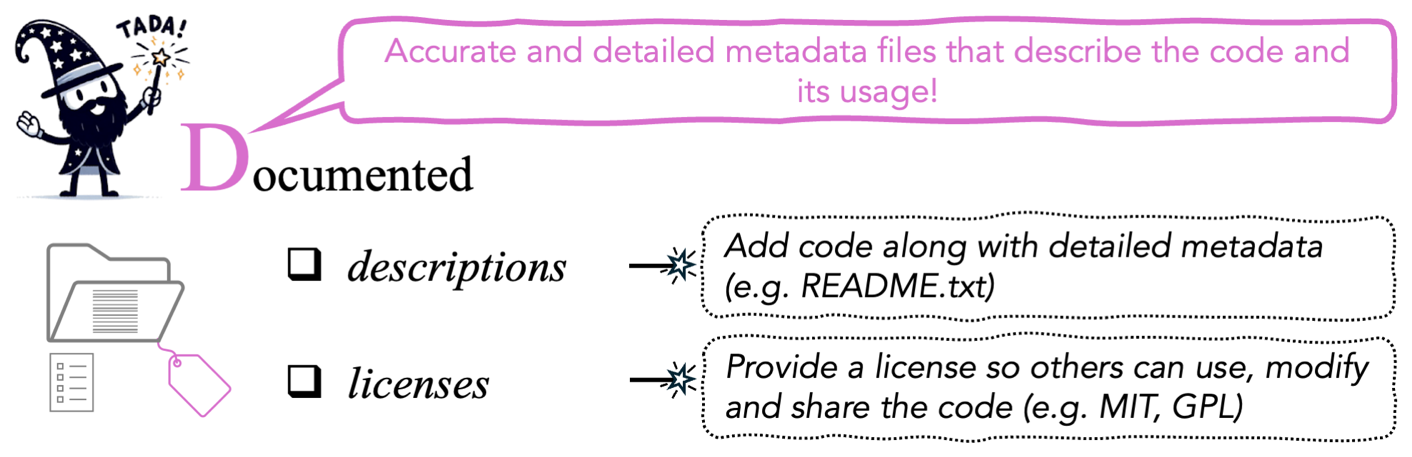
Figure 5 from Ivimey-Cook et al.
In practice, documentation means two files:
- A README, in
.txtor.md, describing the code and how to run it. - A licence, stating how others may use, modify and share the code.
Documentation holds information that annotation cannot. Comments in a script say what a line does, but only the README can say which script to run first, which version of R you need or where the data live.
5.1 The README
You can provide a combined README covering both code and data metadata, or two separate READMEs, one for code and one for data.
What must be in it
This comes from the “Documented How To” box and its accompanying text in the TADA paper (Ivimey-Cook et al. 2025), with the package examples updated:
| Field | Detail |
|---|---|
| Manuscript | The title and abstract of the manuscript the code is associated with |
| Authors & contact | Authors, with an email address for correspondence. May be anonymised during peer review to adhere to double-blind policies |
| Funders | Any relevant funders |
| Software | Language and version number, e.g. R v4.3.3 |
| Packages | Important libraries or packages used, with version numbers, e.g. ggplot2 v3.5.1. Can also be supplied as a separate text file listing every loaded package and version, from sessionInfo() in R or session_info in Python (from the session-info package) |
| Licence | A mention of the code-specific licence |
| Data location | Where the relevant data are, ideally with a PID |
| File contents | What each file contains |
| Run order | The order in which the code should be run |
| Runtime | Whether the code takes a long time to run, especially for computing-intensive processes |
| Inputs & outputs | What data the code requires to run, and what data it produces, if any |
sessionInfo() (R) and session_info.show() (Python, from the session-info
package) list every loaded package and its version. Run it at the end of your final
analysis session, paste the output into a session_info.txt next to the README
and refer to it there. That one command answers most later questions about
software versions.
A worked README
Below is a filled-in version of the fields above. The template is at
templates/README-template.md.
Generate the README instead of writing it. READMEBuilder, an R package with a built-in Shiny app, walks you through the fields above and writes a README.md. It covers project metadata, per-column data summaries, a directory map, script run order, detected package versions, and separate code and data licences. Install with devtools::install_github("EIvimeyCook/READMEBuilder"), then run build_readme().
# Code for: Caterpillar abundance varies with woodland habitat type

Associated manuscript: Ivimey-Cook et al. (2026), *Journal of Example Ecology*.
Preprint: https://doi.org/10.00000/example

## Abstract
We tested whether caterpillar abundance differs between woodland habitat
types, using count data collected across three seasons. Abundance was higher
in mixed woodland than in conifer plantation after controlling for year
(Poisson GLM); we discuss implications for habitat management.

## Contact
Your Name — your.name@example.ac.uk
(Anonymised for peer review; restored on acceptance.)

## Funding
Example Research Council, grant ABC/123456/1.

## Data
Archived with this project. If archived separately:
https://doi.org/10.5061/dryad.000000 (`caterpillars_2024.csv`).

## Licence
MIT (see LICENSE). Data are released under CC0.

## Software environment
R v4.3.3. Full session details in `session_info.txt`.

Key packages:
  - here        v1.0.1   (relative file paths)
  - ggplot2     v3.5.1   (figures)

## How to run
Open `caterpillars.Rproj` in RStudio, then run the scripts in order:

  1. `R/01_clean_data.R`    reads data/raw/caterpillars_2024.csv
                            writes data/processed/caterpillars_clean.csv
  2. `R/02_fit_models.R`    fits the models reported in Table 2
                            writes output/models/*.rds   (~25 min)
  3. `R/03_make_figures.R`  produces Figures 2 and 3
                            writes output/figures/*.png

Total runtime approximately 30 minutes on a 2023 MacBook Pro. Script 02 is
the slow step; its outputs are saved so 03 can be re-run on its own.

## Files
  data/raw/         Unmodified field data. Never written to by any script.
  data/processed/   Generated by script 01. Safe to delete and regenerate.
  R/                Analysis scripts, numbered in run order.
  functions/        Helper functions sourced by the scripts.
  output/           Figures and saved model objects.
That README gives the total runtime, says which step is slow and whether its
output is cached, which script makes which figure, and that data/processed/
can be deleted and regenerated. A reader does not need to contact the author for
any of it.
The SORTEE view
The SORTEE guidelines ask for the same thing from the checking side (Pick et al. 2026):
- Guideline 1.5. Detailed metadata, including but not limited to a README file, must accompany the data.
- Guideline 3.5. A sufficiently detailed README must accompany the code. The code must also be broken into sections with clear annotation stating the purpose of the code, with clear links to the relevant sections, figures and tables in the manuscript.
For code metadata, the question a data editor asks is whether a reader could understand the analysis code without reading the manuscript. For data metadata, it is the same question about the data files.
5.2 The licence
Code with no licence is not open code. Without one, others are legally restricted from using, sharing or modifying what you archived, even though they can see it (GitHub Docs n.d.). Omitting a licence is a common documentation failure. The code is visible but cannot lawfully be reused.
The documentation must name a licence that says how others can use, modify and share the code. Licences differ in whether attribution is required (whether you must be cited), whether the code can be modified and whether it can be used commercially.
Choosing one
Permissive
MIT is the standard example, with little or no restriction on use. Others may copy, modify, merge, publish and share the code, provided the licence and copyright notice travel with it (choosealicense.com n.d.).
Choose a permissive licence when you want the widest possible reuse and do not mind what downstream users do with derivatives. That is the usual case for analytical code that accompanies a paper.
Other permissive options include BSD 2-Clause, BSD 3-Clause, and Apache 2.0, which also grants patent rights explicitly (choosealicense.com n.d.).
Copyleft
GPL licences are more restrictive and come with several conditions. Under GPL v3.0, for example, derivative works must carry the same licence, and any changes to the source code must be listed.
Choose a copyleft licence when you want derivatives to stay open. Some journals require a specific licence on archiving. The Journal of Statistical Software requires a GPL.
Data licences
Data and code are usually best licensed separately. Without a licence, data cannot be legally reused in many circumstances, depending on jurisdiction. Data usually take a Creative Commons licence (chooser: https://creativecommons.org/chooser/).
| Licence | What it means | Notes |
|---|---|---|
| CC0 | Public domain; no attribution required | The most permissive. Default at Figshare; mandated by Dryad. |
| CC BY 4.0 | Reusers must credit the original author, but may distribute, remix, adapt and build upon the material, including commercially | Default at Zenodo. |
| CC BY-NC 4.0 | As CC BY, but prohibits commercial use | More restrictive. |
Dryad only supports CC0, which suits data but is not well suited to code. Code uploaded to Dryad as software is published on Zenodo instead (Lowenberg 2021).
If your repository applies a single repository-wide licence, check whether it suits both your data and your code before depositing them together.
How to attach it
Either route works.
Add a licence file. Decide which licence fits your project using
https://choosealicense.com/, copy its text, and save it in your project next to
the code as a LICENSE file, the name GitHub looks for
(GitHub Docs n.d.).
Let the repository do it. Some repositories, such as Zenodo, let you choose the licence when you archive the code. It is then attached to the project without you creating a file. Check what you select: repository defaults are data licences (CC BY 4.0 at Zenodo, CC0 at Figshare), so pick a code licence such as MIT for the code.
Questions that determine the choice
In the TADA paper (Ivimey-Cook et al. 2025) we set out the questions that should decide the choice:
- Who is the audience? Is the code intended for commercial applications?
- Do you want others to be able to modify or extend it?
- What do your journal, institution and funder require? Some journals mandate a specific licence on archiving.
- Does your repository already impose a licence? Dryad’s CC0-only policy is the case to watch for.
The SORTEE guidelines require a licence for both data (Guideline 1.2) and code (Guideline 3.2; Pick et al. 2026), but they treat the two differently. For data they do not recommend or enforce any specific type, so you only have to choose and state one. For code they state a preference: “We suggest using permissive code licences whenever possible, for example, MIT, BSD 2-Clause, GNU, and Apache” (Guideline 3.2).
5.3 Checklist


Try doing all of these to make the dog happy.
Next: Annotated, on comments inside the code.