6 A — Annotated
Annotation means adding comments within each code file (with # in R and
Python), or embedding code in an RMarkdown or Quarto document alongside
descriptive text. It helps a reader both understand your archived code
(transparency) and run it (functionality and reproducibility).
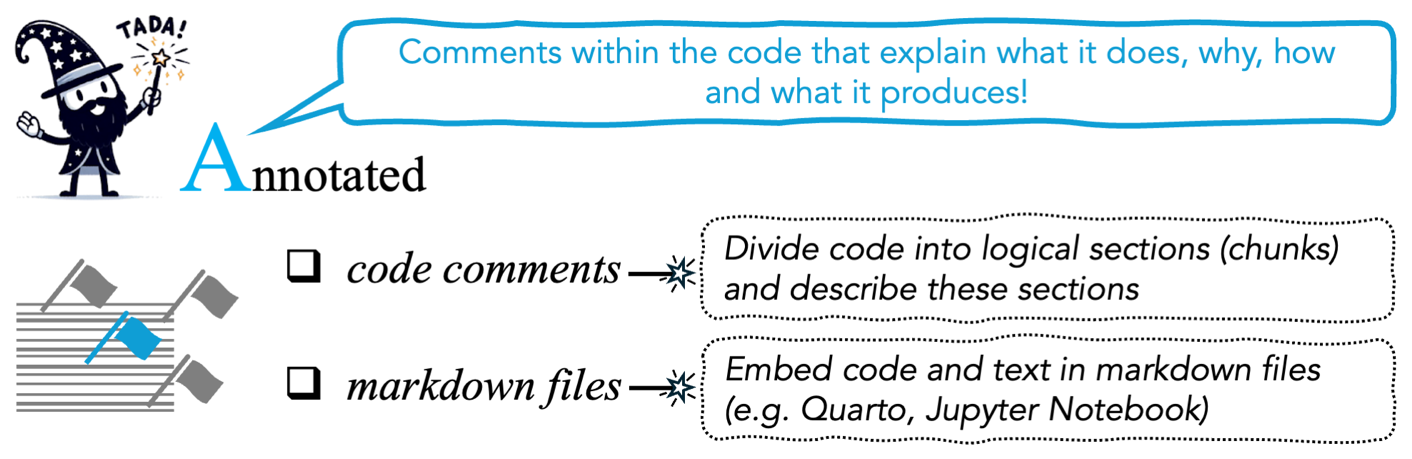
Figure 6 from Ivimey-Cook et al.
Annotation, like Documentation, corresponds to the FAIR principle of Reusable. As we put it in the TADA paper, it does the same job “but rather than describing the code ‘externally’, provides clear commenting within each coding script” (Ivimey-Cook et al. 2025).
6.1 Script headers
Before annotating chunks, we recommend a script header: a short block at the top of the file saying what the whole script does and what it produces.
##### Caterpillar abundance analysis #####
# Fits Poisson GLMs of caterpillar counts against habitat and year, and
# produces the coefficients and figures reported in Table 2 and Figure 3
# of the manuscript. Run after 01_clean_data.R.
A header answers “what is this file for?” in a few lines, before the reader reaches the first chunk.
6.2 Annotate chunks, not lines
Annotate code chunks, not every line. Line-by-line annotation is possible, but describing each chunk in enough detail is usually more useful for following what the code does and what it produces.
A good chunk comment answers three questions:
- What is this chunk doing? “Run a Poisson generalised linear model…”
- Why is it needed? “…to analyse caterpillar abundance varying with habitat…”
- Where does its output appear? “Numeric results shown in Caterpillar Abundance section”, or “Figure 5A”
The third question is signposting, and people tend to leave it out. It lets a reader, a data editor or a reviewer connect a number in your results section to the lines of code that produced it.
Before
Nothing tells a reader what is being run, why, or what it produces. There is no signposting.
After
##### Caterpillar abundance model #####
# Poisson GLM of caterpillar counts against habitat type, controlling
# for year, to test H1 (abundance differs between woodland types).
# Produces the coefficients reported in Table 2 and the numbers quoted
# in Results, "Caterpillar abundance".
m1 <- glm(n ~ habitat + year, family = poisson, data = dat)
summary(m1)

##### Figure 3A #####
# Raw counts by habitat, plotted as the left panel of Figure 3.
plot(dat$habitat, dat$n)
6.3 Collapsible sections
Some comment markers create collapsible sections in the editor, which make a file easier to read and navigate. They help most in long scripts.
-
#####or#----in RStudio -
#%%in VSCode or Spyder (Python IDEs)
##### 1. Load and clean data #####
# ...

##### 2. Fit models #####
# ...

##### 3. Figures #####
# ...
In RStudio these appear in the document outline, so a reader can move around a 600-line script from the sidebar instead of scrolling.
6.4 Literate alternatives
Instead of commenting a plain script, you can embed the code in a document alongside descriptive text. We list this as an alternative route to annotated code.
RMarkdown / Quarto
Prose and code chunks sit in one file, with the output shown inline. The narrative is the annotation, and it is clear which paragraph explains which chunk.
## Caterpillar abundance

We fitted a Poisson GLM of counts against habitat type, controlling for
year, to test whether abundance differs between woodland types. These
coefficients are reported in Table 2.

```{r abundance-model}
m1 <- glm(n ~ habitat + year, family = poisson, data = dat)
summary(m1)
```
The SORTEE guidelines add that presenting everything in one self-contained Markdown or Quarto document is very helpful for data editors and future readers (Pick et al. 2026; Buckley et al. 2025), because it shows how the code, the data and the outputs connect.
A rendered .html or .pdf of your Quarto document is a useful addition to
the archive, but archive the .qmd or .Rmd source too. A rendered PDF on its
own fails Transferable.
Jupyter Notebook
Notebooks and JupyterLab show code in chunks with descriptive text and inline output, and are another route to annotated code.
Two cautions about archiving a notebook:
- Restart and run all before you archive. If the cells were run out of order, the notebook records a state that nobody can reproduce.
-
Notebooks store output in the file. That helps readers, but it
makes the archived
.ipynblarge and awkward to diff. Consider archiving a plain.pyexport as well.
Plain scripts
A well-commented .R or .py file is enough, and for many analyses it is the
clearest option. The requirements are the same:
- logical chunks, marked with
#####/#----(RStudio) or#%%(VSCode/Spyder) - a comment on each chunk giving what it does, why it is needed and where the output appears
- object names a reader can follow
If the analysis is long, split it across numbered scripts (01_, 02_, 03_)
and describe the order in the README.
6.5 Readability
Annotation works best on code that is already easy to read. In our code review paper (Ivimey-Cook et al. 2023) we identified four practices that make code reviewable, described in Writing reviewable code: calling packages explicitly by namespace, using relative file paths, removing redundant packages, and writing code with clear subheadings, intuitive comments and interpretable object names.
Tools such as styler (R) and pycodestyle (Python) can enforce a consistent
style; Writing reviewable code covers them.
Style is not annotation. A neatly formatted script with no comments still fails the Annotated test. Comments and signposting matter more than layout.
6.6 Annotating as you go
The SORTEE guidelines say that annotating code as you write it is far easier than going back and annotating at the end of the study. That means describing not only each section but also how the code runs and what it produces (Pick et al. 2026). The same goes for the README: create it at the start and update it as files are added.
6.7 Checklist


Try doing all of these to make the dog happy.
Next: Data & code sharing, on the wider practices around TADA.